Winamp for Windows 10
Last updated: August 6, 2026
File Size: 22.00 MB
Winamp has remained a firm favourite for many tech geeks and music lovers alike. It had appeared to lose its way for a while, as it was slow in coming forward with newer versions, which could be supported by more modern software. This all looks set to change and could be the revival that Winamp truly deserves. The new update, BETA version 5.8, seems to have found its way onto the internet, hinting that this could be a step towards this fan favourite being supported by Windows 10. Although its Belgian owners, Radionomy, are yet to make a formal release statement.
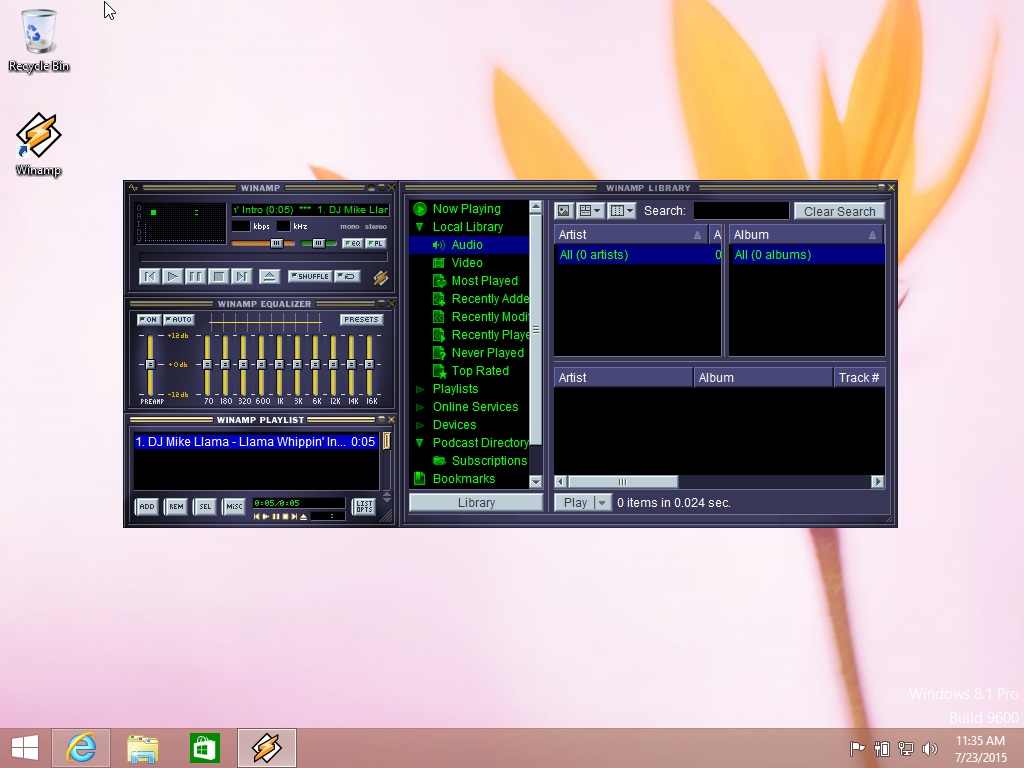
Support for Windows Audio seems to be one of the key developments and this change allows for complete compatibility with Windows 10. No doubt, it will have the usual teething problems, but as has been shown before, it’s the fans and enthusiasts who have helped to push the software in the right direction when it comes to tweaks and apps. Winamp has launched their own forum for just this purpose and it’s great to see fans new and old being able to discuss both their excitement and, as to be expected at this early stage, some of their frustrations.
The goal of this new set of developers has been clearly defined as, the intention to make Winamp the player of today and provide an up to date and complete listening experience. One of the best things they’ve done so far is to remove any old pro licences, making Winamp 100% free to use again. There are also some other current fixes which have been included in the new version, these fixes include, resolved – slow loading issue, improved – updated scroll bar and buttons, fixed – various memory leaks. There are tons more additions and you can see the complete list of updates, fixes and resolutions within the new BETA version.
The go-to functions of customisable skins, visualisation, plugins and the ability to design and make your media player unique to you, are all still high on the agenda and remain some of the software’s key features. The fact that it can now be supported by Windows 10 has also opened up other new avenues. There are more advanced video plugins which can now be supported whereas previously there were some issues with this. There is no multinational version available with Lang packs as yet, but they’re working on the language packs, with Spanish and Polish currently available on the BETA version.
For more avid users of Winamp, they’ll be pleased to know the CD playback and ripping functions now use native Windows API instead of Sonic. The AAC decoder now uses Media foundation, Vista and higher and the H.264 decoder is now also using Media foundation, Vista and higher. These technical changes demonstrate that Winamp is taking itself seriously and has finally understood there is still a huge legion of fans who will willingly support and promote this unequalled media player. There is still nothing as flexible, yet as technically delightful as Winamp when it comes to creating and building your own individual home for music.
Back in October 2018, Radionomy’s CEO, Alexandre Saboundjan hinted that we could expect to see a version 6 available in 2019. 5 months into the year there have been no further corporate updates, including whether or not it will be able to support newer services or how it might integrate with the big players such as Apple Music and Spotify. However, the fact that the owners of Winamp are starting to understand the true potential behind this awesome media player can surely be nothing but good a sign for hardcore Winamp enthusiasts.
The beauty of Winamp is that you experience all of your music in a single place and this makes it a singular experience. There’s no need to go switching between platforms and getting lost in remembering where dedicated playlists are saved. The visualization aspect of Winamp and its spectrum analyser has always allowed people to bring their music to life. To see and feel it. It’s fantastic to see the BETA version available, and the input this is allowing fans and users alike to generate.
We’ve touched on some of the updates but there are a few others that deserve a mention. You can slow down the pop-up buttons, so they don’t overtake the screen and they’ve also improved the browse path and edit title functions in Editor. The OpenMPT-base module player has also been improved and they’ve replaced the MikMod player. The added functionality which can now be supported by Windows 10 is set to continue and we can expect to see more and advances over the coming months.
With only the BETA version being released so far, it’s safe to say, this is a work in progress, but I for one look forward to being a part of the continuing journey to restoring Winamp to its former and well-deserved glory.
Here you can find the Winamp for Windows 10 (Windows media player) with contain required update patches. Windows 10 had backward compatibility with Winamp skins and popular plugins. Compatibility Winamp updates for security support are have already installed. Winamp works perfectly well with Windows 10.
Download Winamp for Windows 10
Winamp Essentials Pack 5.6 & 5.7 Download page