Winamp for Android
The resurgence of Winamp is set to continue with the new downloadable app for android. This is music to the ears of millions of Winamp fans around the world. Developed by Nullsoft, you have a choice of either the free or professional version, depending on which version is best for you. It’s also available in a choice of 14 languages.
Features Available
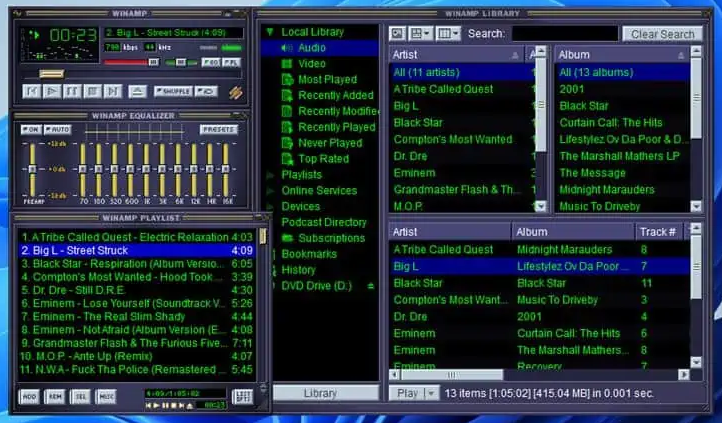
This totally customizable, and unique, media player still stands out from the crowd and looks to be going from strength to strength. The software incorporates scrobbling with the last.FM app, which means you can capture your mobile listening in real-time. The Intuitive interface delivers consistent access to the Winamp home screen, player controls and the play queue for full functionality. You can also manage temporary track listings by sorting or saving as a playlist.
Overview
The standout feature of the android app is the free wireless syncing, which is compatible with both the Mac Sync Beta and the Winamp media player for PCs. The beauty is that both desktop apps allow one-click access to playlist importing and iTunes playlists, making it even easier to manage music from a variety of sources allowing you to catalog your music and video library in one place. Combine this with the access to the Radio SHOUTcast function, which gives you access to over 45,000 internet radio stations, and you’ll never miss a song again!
Other Features Include:
• Persistent player controls
• The now playing screen is easily collapsible or expandable
• Play queue management
• Artist News, photo’s, biographies and discographies
• Album art gesturing for track changes
• Integrated Android “Search and Listen to” voice commands
• Playlists and shortcuts
• Free music streaming with CDLP- steam on-demand any popular album releases
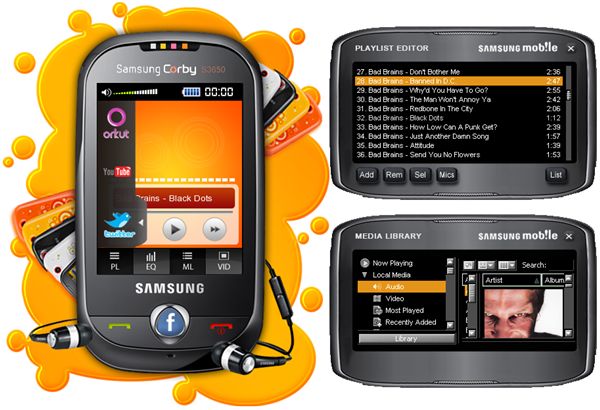
The Winamp Android pro bundle offers additional features, such as a customization home screen, cross-fade, gapless playback and a 0-band graphic equalizer. It also supports FLAC playback from browse by folders, along with replay gain. It also allows you to play any streaming audio URL, and brilliantly, adverts can also be avoided! To run this version you’ll require chip-sets with the ARMv7floating point instruction set. Almost all android devices in circulation from 2011 onward already contain this technology, but it’s worth checking.
Winamp Skins for Android
This beloved feature which separates WinAmp from other media players has some new additions as well as some familiar favorites. The android version allows you to use both Modern and Classic skins, so you can be both hip and retro at the same time. The android version also features the Bento Skin which is even easier to customize and is faster than previous versions. Plus you’ll find a choice over 20 color themes to suit every mood, file or project available. Winamp also carries forward the unobtrusive “Window Shade” mode. There are nearly 3000 Winamp skins available to download or Plugins. Modern skins support Alpha Channel transparency, a docked toolbar, scripting control and various other innovations which interact with the user-friendly interface.
Visual Effects
The familiar and fantastic visual effects which work in conjunction with the music’s frequencies are all there including screaming fireballs and sensational strobe effects. Then there’s the familiar MilkDrop 3D plugin which uses graphics hardware to deliver 3D visual effects through sound, creating incredible displays every time, not just the same repeated ones.
Plug in’s
Winamp has Plugin’s available for a multitude of uses. The language packs have helped the software to expand and retain its popularity as a multimedia player around the globe. There are DSP/Effect Plugin’s such as the AB Analysis Tool, Electri-q and PushTec to increase how you interact and create unique visual effects. Some of the general plugin’s available include Deadhead, BogProg embedded Art and many many others. There are a ton on input, output and encoding Plugin’s for complete customization. Not to mention the ones for awesome games like pac-man and Sea Wolf and these are easily combined with the plugin’s for your portable devices.
The Winamp communities continue to keep making this software their own, by adding their unique take on certain aspects of the software, constantly keeping it evolving so it stays fresh and new. This can be seen with just the various adaptions of the Bento skin alone. Winamp remains the only truly fully customization multimedia player on the market and it’s fantastic to see it adapting to new devices and additions so easily. So if you’ve made the move to Android, you can take your version of your own personal Winamp with you, and continue to make it personal to you, no matter which devices you choose to run it from.
Release Date: December 10, 2010
Author: Nullsoft
Version: 2.1/1.14
License: Freeware / Shareware versions
OS: The program runs under Android 3.0 and above
File Size: 28.8 MB
Last Updated: June 02, 2023