Introduction

Welcome to Winamp collections!

Winamp is a media player for Windows, Mac OS, Linux, and Android devices, initially written by Nullsoft.

On November 2013, AOL announced that Winamp would shut down on December 2013, and the software would no longer be officially available for download by the company after that date.

Please find below the links to download Winamp

Winamp for Windows 11

Winamp for Windows 10

Winamp 5.8 for Windows (Beta version)

Winamp 5.7 for Windows (Beta version)

Winamp 5.6 for Windows

Winamp 0.8 for MacOS

Winamp 3.0 for Linux (Alpha 1)

Winamp 2.1 for Android

Winamp 1.14 for Android

DOSAMP

MacAmp

Winamp Skins 2026

Winamp Skins 2026 RePack

Last updated: 01/01/2026
Skins: 120000
File Size: 12.10 GB
License: Free
OS: Windows/MacOS, Winamp 2.95 – 5.9.2

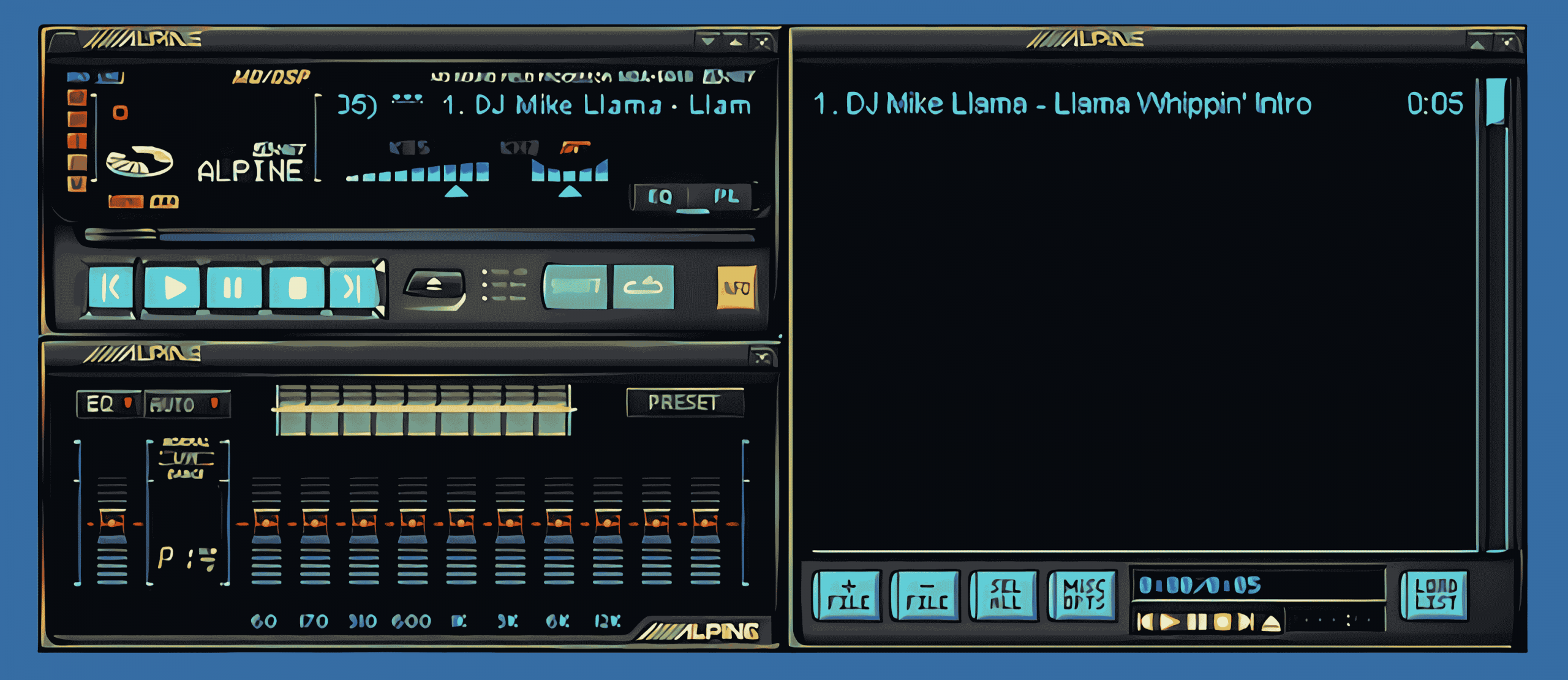
For a lot of people, Winamp has always felt personal. It was the media player you could shape to your own taste, long before music apps decided how everything should look. Skins played a big role in that. They gave users the freedom to change layouts, colors, and details in ways that made listening feel a little more like home. With Winamp skins 2026, that creative spirit is still very much alive.

This collection brings together skins from every stage of Winamp’s life, showing how its look evolved from early classics to later designs and how customization shaped the experience from the start.

When Winamp first launched in 1997, it quickly stood out for more than just its ability to play MP3s. It gave users control. Early versions introduced the concept of skins, allowing people to completely change how the player looked without affecting how it worked.

That idea was revolutionary at the time. Instead of being stuck with a default interface, users could choose designs that matched their mood, desktop setup, or personality. Over time, Winamp skins evolved from simple color swaps into detailed visual experiences, complete with custom buttons, animations, and layouts.

As the internet grew, so did the skinning community. Designers from around the world created thousands of skins, each reflecting the era, trends, and creative tools of its time.

Why Winamp Skins Still Matter Today

In today’s market, many apps are carefully polished but leave little room for change. Most modern media players follow the same layouts and design choices, with only small options like light or dark mode. That’s part of why Winamp skins still stand out.

They remind users that software can reflect personality. A skin might lean futuristic, nostalgic, playful, or minimal, while the music itself stays the same. With Winamp skins 2026, that idea continues, keeping customization at the center of the experience.

Exploring the Winamp Skins 2026 Collection

One of the real strengths of the Winamp skins 2026 collection is how much ground it covers. Rather than leaning into one look or time period, it brings together designs from across Winamp’s entire lifespan. Some skins feel instantly familiar, while others reflect how digital design continued to change as the years went on.

Classic skins remain a favorite for many users, especially the original Winamp layout that defined the late 1990s and early 2000s. These designs are simple, compact, and instantly recognizable, offering a straightforward listening experience that still holds up today.

From there, the collection moves into more advanced designs, such as Bento and Big Bento, which introduced smoother lines, expanded layouts, and a more modern feel while still staying true to Winamp’s identity. Skins such as MMD3 pushed things even further, experimenting with larger interfaces and customizable panels that gave users more control over how information was displayed.

You’ll also find designs inspired by later operating systems and media players, including Aero-style skins and minimalist layouts that feel surprisingly current. Some focus on clarity and ease of use, while others lean into visual flair with layered elements and detailed textures.

Switching between these skins can completely change how Winamp feels, even though the music itself stays the same. That variety makes it easy to refresh your setup whenever you want, whether you prefer sticking with one familiar look or rotating through several depending on your mood.

Nostalgia That Still Feels Relevant

While there’s plenty of nostalgia tied to Winamp, Winamp skins 2026 show that the appeal goes beyond looking back. These skins reflect how design tastes evolved while staying true to the idea of user choice.

Some designs bring back the look and feel many people remember, while others show how Winamp adapted as screens got larger and interfaces became more refined. Together, they tell the story of a media player that changed with its audience instead of leaving them behind.

They also show that personalization never had to disappear. It simply became less common elsewhere.

A Personal Way To Experience Music

At the end of the day, Winamp skins 2026 are all about making your music player feel like yours. The look you choose can match your space, your mood, or simply how you like to listen.

Whether you’ve been using Winamp for decades or you’re rediscovering it now, this collection offers a chance to reconnect with what made the player special in the first place. Take some time to explore the skins, try a few different styles, and enjoy your music in a way that feels familiar, personal, and completely your own!

Best wishes for 2026!

Download Winamp Skins 2026 (parts 1, 2, 3, 4, 5, 6, 7, 8, 9, 10, and 11)

Recommended version of Winamp

Winamp Plugins

Winamp Plugins

Winamp may seem to have to gone by the wayside in terms of technical advancement as a media player but this is not the case at all. Although it’s 21 years old it still commands a well-regarded fanbase and a big reason for this is the huge range of free and paid for plug-ins that are available. The 3rd party plug-ins architecture enables you to extend Winamp’s flexibility to do what you require with Input, Output, Visualization, Digital signal processing/effects, Media library, mobile and general purpose and are quick and easy to download. The majority of plug-ins work on a local cache rather than live queries against the Icecast, SHOUTcast and Tunein services.

winamp-plugins

The general purpose plug-ins catalogue even includes everyday features which you can run, like an alarm clock, and the User Interface can be customized to your individual tastes and preferences. You can change your UI as often as you choose and save them as different installs. This comes on handy when you have you have more than one user. Some other examples of fun plug-ins are the CDG karaoke Plugin which is a free and safe plug-in you can use to play CDG files (mp3+g) in sync with MP3. SoftAmp Virtual Sound Winamp plug-in for 3D sound produces a three dimensional sound with four independent virtual speakers and enjoy the sound coming from above or from above and the reverberation effect is provided. You can even download the Pac-man game for free and relieve your youth!

The more serious and practical plug-ins such as the multiple DSP stacker allow you to stack as many plug-ins inside Winamp as you want, allowing you to manage everything from one place. Also available is the Waveform Seeker Plug-in v2.3.1 which defines the waveform output of a selected file which you can then use to search or seek within the file and allows you to maximize the potential within that file.

The Winamp software development kit even allows you, as a user, to create your own plug-ins across the 7 different categories such as output and input for specific projects to determine the outcomes you want to achieve. They also allow you to remove certain features that you don’t need or want, so you’re not stuck with built in facilities that take up valuable storage space. You manage your media player software, it doesn’t manage you.  There are numerous forums available on the net to discuss which plug-in will work best for what you want to do. Being a member of the forums is a great way to talk to like-minded people with a passion for the software and to continually grow your Winamp capabilities. It’s also your chance to change Winamp along the way and keep it fresh, relevant and in development.

If you haven’t had a look at the catalogue and range of plug-ins available in a while, then why not start downloading today and start experimenting today. Happy fine tuning!

This is an archive plugins for the best Winamp media player. You may find the most recent Winamp plugins. The archive contains over 1000 best and popular Winamp plugins. Have fun with your favorite media player.

Date: 2025-1999
License: Free version
Author: N/A
OS: Windows, Winamp

Download Winamp Plugins

Winamp Skins 2025

Winamp Skins 2025 RePack

Last updated: 01/01/2025
Skins: 80340
File Size: 12.10 GB
License: Free
OS: Windows/MacOS, Winamp 2.95 – 5.9.2

Winamp isn’t just a music player—it’s a canvas for creativity. Skins let you give it a look that’s uniquely yours, and now we’ve made it even easier. We’ve put together a massive collection of over 80,000 skins in one simple download. Whether you’ve been using Winamp for years or just started, this bundle has everything you need to customize your experience.

Winamp is a media player for Windows that was first released in 1997. It was created by Justin Frankel and Dmitry Boldyrev through their company, Nullsoft. The name “Winamp” comes from combining “Windows” and “AMP,” which refers to the Advanced Multimedia Products MP3 playback engine it used.

The initial version, WinAMP 0.20a, was basic, offering just a simple interface and essential playback functions. Despite its simplicity, it quickly became popular as one of the first real-time MP3 players available for Windows. In September 1998, Winamp 2.0 was released with a more user-friendly interface, support for plugins, and the ability to use skins. This version helped it gain an even larger audience, making it one of the most downloaded applications on Windows at the time. By 1999, its growing success led to its acquisition by AOL for $80 million. Under AOL’s ownership, Winamp continued to evolve but faced increasing competition from other media players entering the market.

Despite challenges, Winamp kept a loyal user base. Its ability to support a variety of audio formats, combined with its customizable skins and plugins, helped it stand out among music enthusiasts.

In 2014, Radionomy, now known as Llama Group, acquired Winamp with the goal of revitalizing the player. Development picked up again, leading to new updates and features that balanced modern needs with the classic Winamp experience.

What Makes Winamp Skins So Great?

Winamp skins let you completely change how your music player looks to fit your style. Whether you’re into sleek modern designs or nostalgic classics, they give you the tools to create something that feels personal.

The Winamp 2025 collection of skins is enormous, offering options for every taste. Some designs are minimalist and clean, while others are bold and full of character. Nostalgic themes bring back the look and feel of early Winamp versions, keeping its legacy alive.

The Winamp community has poured an incredible amount of creativity into these skins. Fans and designers have spent years creating unique looks that stand out. This passion has resulted in a huge collection that has something for everyone. Customizing Winamp is simple, even for beginners. Skins can be downloaded and applied through the settings with just a few clicks. This ease of use makes it easy to refresh the look of the player whenever you want.

Skins have played an important role in keeping Winamp relevant. Offering such a wide variety of options has helped Winamp stay connected to its users while continuing to draw in new fans.

This collection of over 80,000 Winamp skins has been carefully put together to appeal to every kind of user. It includes everything from minimal, clean designs to bold and detailed styles. Whether you prefer something simple or more elaborate, there’s a wide variety to explore. All the skins are bundled into an organized package for easy access. Instead of digging through outdated sites, everything is available in one convenient download. The collection is divided into smaller parts, making it easier to download and manage.

Using these skins is simple and doesn’t require technical skills. After downloading and extracting the files, they can be added to the Winamp skins folder and applied directly through the settings menu. The process is quick and designed to work for anyone. The skins are compatible with a range of Winamp versions, from older releases to the latest updates. No matter which version you’re using, these skins can give your player a fresh, updated look.

With so many options in one place, this collection makes customizing Winamp effortless. Users can explore different designs to find the perfect fit for their style, adding a new level of personalization to their music experience.

How to Get and Use These Skins

Start by downloading the skin files from the bundle. Once they’re downloaded, move them to the right location on your computer.
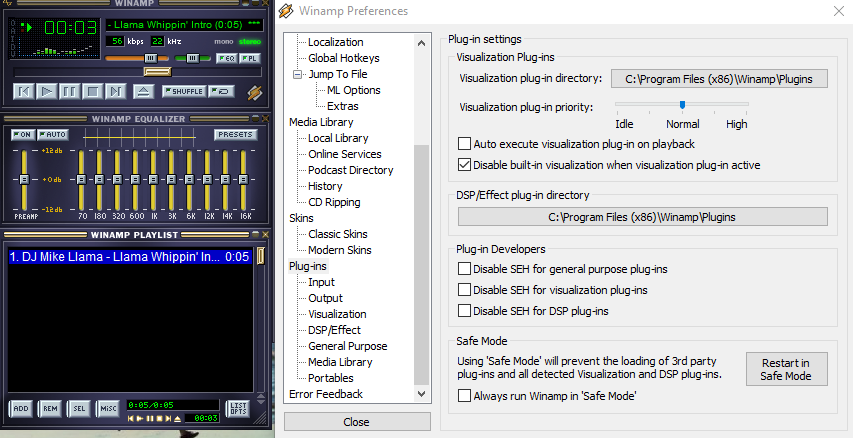
The skins need to go into the “Skins” folder in the Winamp directory. For most users, this is in C:\Program Files\Winamp\Skins, but it might be different if you chose another location when installing Winamp.

After the files are in the folder, open Winamp and go to the skins menu. Right-click anywhere on the player, choose “Skins” from the menu, and select the one you want from the list. The new skin will apply immediately.

This process works with all current versions of Winamp, including the latest updates for 2025. It’s quick, easy, and lets you change the look of Winamp whenever you like.

Why This Collection Stands Out

This collection brings together over 80,000 Winamp skins in one place. It’s organized and easy to download, saving users the time and effort of searching across outdated websites. Having everything in one bundle means you can explore and apply new designs without any hassle.

The range of designs is impressive, offering something for every taste. Minimalist themes provide a clean and simple look, while bold, colorful designs add a dynamic feel. This variety ensures that users can find the perfect skin to suit their preferences. Pulling together so many skins into one package makes it easier than ever to explore what Winamp has to offer. Users no longer have to sift through countless outdated websites to find quality designs. Everything is here, organized and ready to use.

This collection shows how Winamp remains relevant in a world full of modern music players. It continues to give users the ability to customize their experience in ways that other platforms simply don’t offer.

This bundle is proof that Winamp is still going strong. It’s keeping up with what users want and offering fresh, modern designs that fit today’s needs. Winamp continues to show that it’s a great choice for anyone looking for a customizable music player.

Does Anyone Other Than Grandpas Use Winamp?

Winamp may have a nostalgic charm, but calling it a grandpa’s music player is unfair. It’s more like that cool uncle who still listens to vinyl but also knows how to work Spotify. Sure, some people think Winamp is stuck in the past, but it’s alive, kicking, and blasting MP3s with style.

The truth is, Winamp isn’t just for people reminiscing about the days of dial-up internet and Napster. Plenty of younger users still swear by it, especially those who appreciate its customizability. Who doesn’t love a player that lets you make it look like a spaceship or a toaster? Modern apps don’t offer that kind of personality.

It’s worth noting that Winamp had over 83 million monthly users as of 2024. That’s not just grandpas—unless you think the internet is crawling with 83 million tech-savvy retirees who all happen to love classic media players. Winamp’s appeal stretches far beyond those sipping tea and reminiscing about the 90s.

Winamp has even modernized itself to stay relevant. It’s got new apps, updated features, and plans to open its source code for developers. You can’t tell me a grandpa would be excited about open-source development unless they’re a retired coder.

The full collection of Winamp skins is ready for you to download. With thousands of designs included, there’s something for every taste and style.

Getting these skins onto your player is simple. Download the bundle, follow the steps to move the files to the right folder, and start customizing your Winamp experience.

The entire collection is completely free. This is your chance to refresh the look of your music player and explore a huge variety of designs without spending a dime.

Best wishes for 2025!

Download Winamp Skins 2025 (parts 1, 2, 3, 4, 5, 6, 7, 8, 9, 10, 11, and 12)

Recommended version of Winamp