Winamp Skins 2022

Winamp Skins 2022 (RePack 24)

Last updated: 01/01/2022
Skins: 73550
File Size: 11.40 GB
License: Free
OS: Windows/MacOS, Winamp 2.95 – 5.80

And as usual, we have collected the all of the best skins into The Best of Winamp Skins 2022 (RePack 24).

Jordan Eldredge created the Winamp Skin Museum with the help of Internet Archive’s Jason Scott, who gathered tens of thousands of skins to save on the Internet Archive. However, that wasn’t a great interface for casually browsing thousands of skins, so he created something better.

Unfortunately, modern skin development has seen a significant decline in recent years. This could be due to existing coders’ lack of interest in creating skins, as well as the difficulty of learning modern skinning as a beginner.

With the popularity of new media players such as VLC, Winamp, which was a part of the MP3 revolution in the 1990s and early 2000s, began to quiet down. Winamp was a lightweight, fast player that could be completely customised. It had a straightforward interface with little playback controls that could be hidden in a screen corner or blown out to take up the entire screen, as well as advanced tools like search bars, library and artist information, and much more in multiple windows.
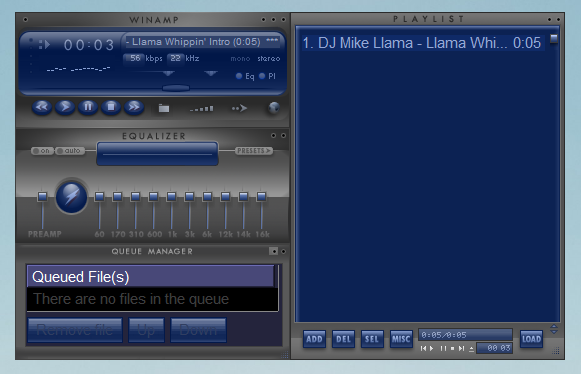
Winamp is available in two versions: Winamp Standard and Winamp Pro, and it supports the playback of 70 audio and video formats. It includes powerful tools for creating playlists, customising your playback experience (also known as “skinning”), managing podcasts, syncing portable devices, listening to internet radio stations, and accessing remote media, to name a few (Winamp Remote). The Winamp Pro version includes additional features such as mp3 ripping, high-speed audio CD burning/ripping, AACPlus encoding for extra-small file sizes, and native support for H.264 encoded video.

Winamp is all about individuality and customization at its core, which is why add-ons are offered to extend functionality beyond the original design. Winamp now has over 10,000 add-ons, including skins, plug-ins, visualisations, and online services, thanks to the efforts of the development community.

The programme was renamed “Winamp,” and it gained features such as a color-changing volume slider and a spectrum analyzer. Users could also use an equaliser to change frequency responses and a playlist to organise tracks. The interface, which looked like an aftermarket stereo head unit, felt period correct, but the real fun came from customising the player’s look and feel with skins and plugins.

Aside from its extensive feature set and support for high-fidelity playback, one of Winamp’s key differentiators is its skinnable interface. This level of customization allows you to reflect your own unique personality. Over 8,000 skins have been created by the Winamp community to date. Browse our gallery to find one that appeals to you, or if you’re a do-it-yourselfer, create your own.

Skins are used to change the appearance of the Winamp GUI. They also added functionality to the player by scripting. There was a whole community behind Winamp modifications, and there were many high-quality Winamp skins to choose from, though I always preferred the simple look of Winamp Classic. A plug-in extends Winamp’s functionality and allows you to add almost anything to your Winamp player, such as equalisers, additional codecs, language packs, games, and so on. You can browse the plug-in gallery or create your own, as there are over 3000 community developed plug-ins to choose from.

You can also use any of Winamp’s world-renowned visualisations to bring your music to life. They are essentially dynamic add-ons that generate images, colours, and textures that change in response to elements of the music being played. In our visualisation gallery, you can download nearly 2,800 presets. As a side note, Ryan Geiss is the creator of Milkdrop (one of the two visualisation platforms in Winamp). Ryan, who now works for Microsoft, was a key contributor to the human-tracking algorithms used in the Xbox 360’s Kinect. Explore the Winamp visualisation gallery and pick your favourite.

The museum’s integration with Webamp, Eldredge’s browser-based version of Winamp 2, is by far its most interesting feature. To load a skin from the archive, click the Webamp link at the bottom of the page. Take, for example, this.

Because the Webamp player is interactive, you can move its elements around the screen, resize them, shrink them into the compact mini player, and so on. If you really want to use it, you can also load your own music files. The interface is quite small on a 1440p monitor, so if you want the authentic experience, lower your resolution to 1024×768.

Winamp has been around for a long time. In fact, it was one of the most popular music players in the late 90s and early 2000s before iTunes and Spotify were even on the scene. While this player is no longer as popular as it once was, there is still plenty of demand for skins to customize its appearance.

If you enjoyed the early Winamp, you’ll enjoy the Winamp Skin Museum, which features a searchable and fully interactive collection of over 65,000 Winamp skins. Users can also use Webamp, a browser-based version of Winamp 2. Users can also upload audio files from their computers to this museum.

Best wishes for 2022!

Download Winamp Skins 2022 (parts 1, 2, 3, 4, 5, 6, 7, and 8)
Recommended version of Winamp

Winamp Windows 10

Winamp for Windows 10

Last updated: November 30, 2021
File Size: 22.00 MB

Winamp has remained a firm favourite for many tech geeks and music lovers alike. It had appeared to lose its way for a while, as it was slow in coming forward with newer versions, which could be supported by more modern software. This all looks set to change and could be the revival that Winamp truly deserves. The new update, BETA version 5.8, seems to have found its way onto the internet, hinting that this could be a step towards this fan favourite being supported by Windows 10. Although its Belgian owners, Radionomy, are yet to make a formal release statement.

Download Winamp for Windows 10

Support for Windows Audio seems to be one of the key developments and this change allows for complete compatibility with Windows 10. No doubt, it will have the usual teething problems, but as has been shown before, it’s the fans and enthusiasts who have helped to push the software in the right direction when it comes to tweaks and apps. Winamp has launched their own forum for just this purpose and it’s great to see fans new and old being able to discuss both their excitement and, as to be expected at this early stage, some of their frustrations.

The goal of this new set of developers has been clearly defined as, the intention to make Winamp the player of today and provide an up to date and complete listening experience. One of the best things they’ve done so far is to remove any old pro licences, making Winamp 100% free to use again. There are also some other current fixes which have been included in the new version, these fixes include, resolved – slow loading issue, improved – updated scroll bar and buttons, fixed – various memory leaks. There are tons more additions and you can see the complete list of updates, fixes and resolutions within the new BETA version.

The go-to functions of customisable skins, visualisation, plugins and the ability to design and make your media player unique to you, are all still high on the agenda and remain some of the software’s key features. The fact that it can now be supported by Windows 10 has also opened up other new avenues. There are more advanced video plugins which can now be supported whereas previously there were some issues with this. There is no multinational version available with Lang packs as yet, but they’re working on the language packs, with Spanish and Polish currently available on the BETA version.

For more avid users of Winamp, they’ll be pleased to know the CD playback and ripping functions now use native Windows API instead of Sonic. The AAC decoder now uses Media foundation, Vista and higher and the H.264 decoder is now also using Media foundation, Vista and higher. These technical changes demonstrate that Winamp is taking itself seriously and has finally understood there is still a huge legion of fans who will willingly support and promote this unequalled media player. There is still nothing as flexible, yet as technically delightful as Winamp when it comes to creating and building your own individual home for music.

Back in October 2018, Radionomy’s CEO, Alexandre Saboundjan hinted that we could expect to see a version 6 available in 2019. 5 months into the year there have been no further corporate updates, including whether or not it will be able to support newer services or how it might integrate with the big players such as Apple Music and Spotify. However, the fact that the owners of Winamp are starting to understand the true potential behind this awesome media player can surely be nothing but good a sign for hardcore Winamp enthusiasts.

The beauty of Winamp is that you experience all of your music in a single place and this makes it a singular experience. There’s no need to go switching between platforms and getting lost in remembering where dedicated playlists are saved. The visualization aspect of Winamp and its spectrum analyser has always allowed people to bring their music to life. To see and feel it. It’s fantastic to see the BETA version available, and the input this is allowing fans and users alike to generate.

We’ve touched on some of the updates but there are a few others that deserve a mention. You can slow down the pop-up buttons, so they don’t overtake the screen and they’ve also improved the browse path and edit title functions in Editor. The OpenMPT-base module player has also been improved and they’ve replaced the MikMod player. The added functionality which can now be supported by Windows 10 is set to continue and we can expect to see more and advances over the coming months.

With only the BETA version being released so far, it’s safe to say, this is a work in progress, but I for one look forward to being a part of the continuing journey to restoring Winamp to its former and well-deserved glory.

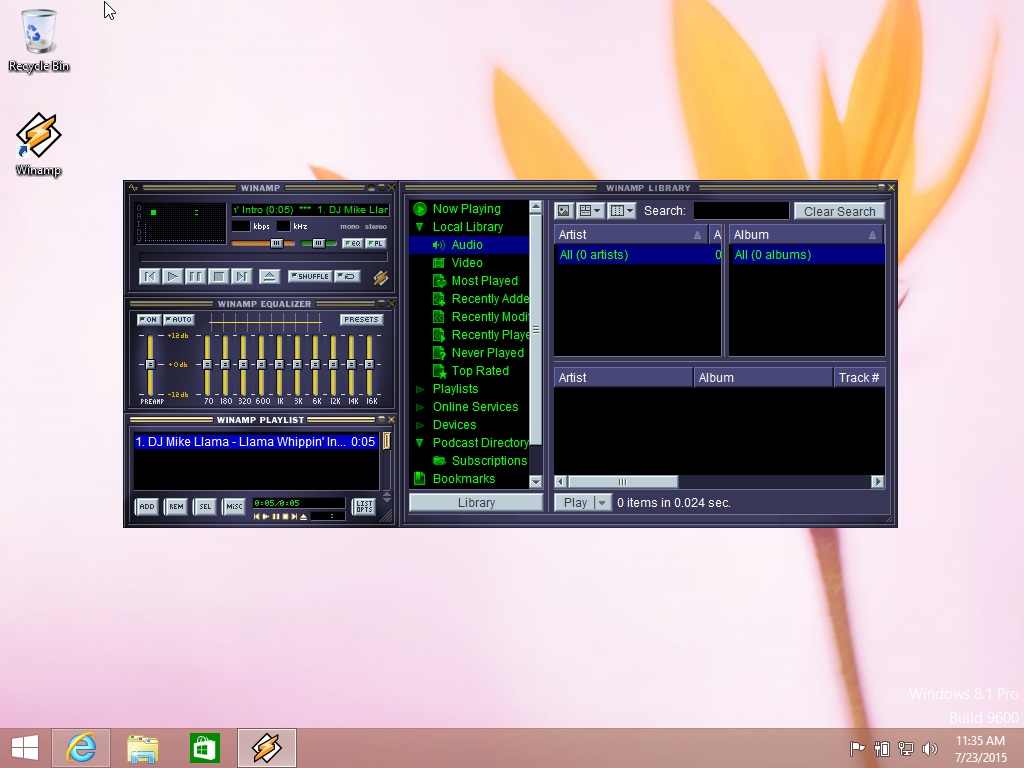
Here you can find the Winamp for Windows 10 (Windows media player) with contain required update patches. Windows 10 had backward compatibility with Winamp skins and popular plugins. Compatibility Winamp updates for security support are have already installed. Winamp works perfectly well with Windows 10.

Download Winamp for Windows 10

Winamp Essentials Pack 5.6 & 5.7 Download page

WACUP

WACUP

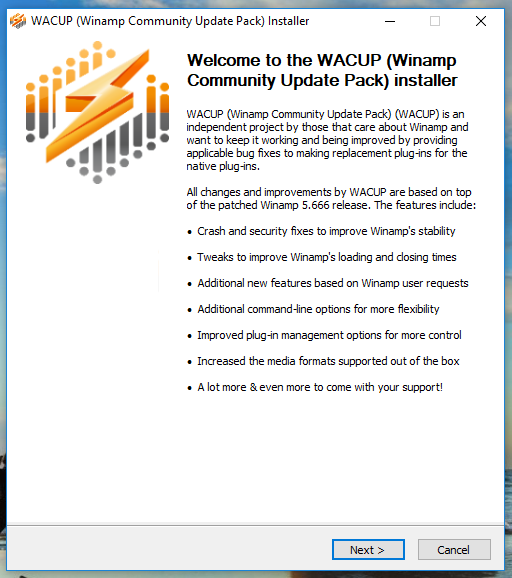
WACUP (Windows Community Update Pack) is an independent project by those that care about Winamp and want to keep it working and being improved by providing applicable bug fixes to making replacement plug-ins for the native plug-ins.

Winamp Community Update Pack

All changes and improvements be WACUP are based on top of the patched Winamp release. The features include:

* Crash and security fixes to improve Winamp’s stability
* Tweaks to improve Winamp’s loading and closing times
* Additional new features based on Winamp user requests
* Additional command-line options for more flexibility
* Improved plug-in management options for more control
* Increased the media formats supported out of the box
* A lot more and even more to come with your support!

WACUP-1

Date: 2021
Version: 1.0.21
License: Free version
Author: Darren Owen
OS: Windows 10/7/8/XP
Last Updated: 09/108/2021

Download WACUP