Winamp Skins 2021 (RePack 23)
Last updated: 01/01/2021
Skins: 73450
File Size: 11.30 GB
License: Free
OS: Windows/MacOS, Winamp 2.95 – 5.80
And as usual, we have collected the all of the best skins into The Best of Winamp Skins 2021 (RePack 23). Open the best skins instantly! Or, you could search through our web site and choose for yourself! The archive contains more than 73000 skins.
So what has happened on the skins front in the current year?
The first thing that came into my mind was the Skinning Framework Classic Pro. Classic Pro gives you the power to create single window skins just the same way as Winamp Classic Skins. Till now the Classic Pro Framework has been downloaded over one million times from different download mirrors what is a huge success. But this would only have been possible with lots of people creating cool skins for it!
Thus, let’s start with my top 3 Winamp Skins.
First there is “cPro Insomnis”. It has a dark and stylish user interface and is now offered with a bunch of cool color themes.
Then we have “cPro Relax”, a colored and nice styled skin which was the clear winner of the “Skinning Shootout” held by Skin Consortium.
Another highlight was the recall of “cPro MMD” – the official Classic Pro port of the legendary MMD3 skin by Sven Kistner.
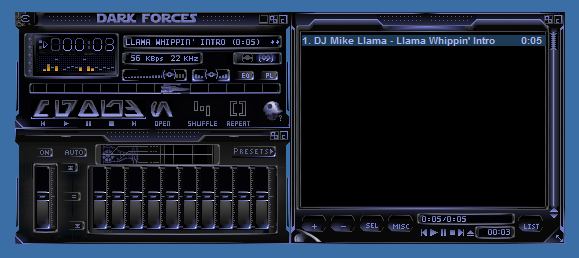
But also the Classic Skin developers have done some great work in the past!
My absolute favourite is “MMVIII” by GaretJax and mike_db – a great level of detail and nice colors, so go and check it out!
As a counterpart to this skin David Wood has created a cool vista styled skin called “Glitch Alienmorph Black” with a modern and clean userinterface.
Last but not least we also have a future styled skin by SMAR Designs: “Acierate” is green and sharp, so don’t cut yourself on it!
Unfortunately Modern Skin development has suffered from a big decline in the past few years. This might be due to the lack of interest of existing coders in creating skins and the hard way to learn modern skinning if you are a beginner. Nevertheless there have also been some highlights in this category:
Taking the download count “Azenis mimi” by itemsoft is the clear winner. A simple and clean interface based on the well-known Azenis theme.
For all Winamp classic fans Corwin has created a revamped and feature picked skin called “NEO CLASSIC”.
And we have another winner in this category as well: “krazyPlayer” by Skin Consortium has won the “Winamp Freestyle Skinning Contest” over at deviantArt. This future styled skin has a nice RGB color picker as well as a stunning breathing beat animation.
So this was my fast run through the current year! Of course there are plenty of other cool skins to talk about, so I encourage you to comment and let us know your favorites as well.
Best wishes for 2021!
Download Winamp Skins 2021 (parts 1, 2, 3, 4, 5, 6, 7, and 8)
Recommended version of Winamp